Running a retail store, restaurant, or service-based business is not easy. You need to manage sales, inventory, customers, payments, and accounting—all while delivering a smooth experience at the counter. This is where a modern Point of Sale (POS) system becomes critical.
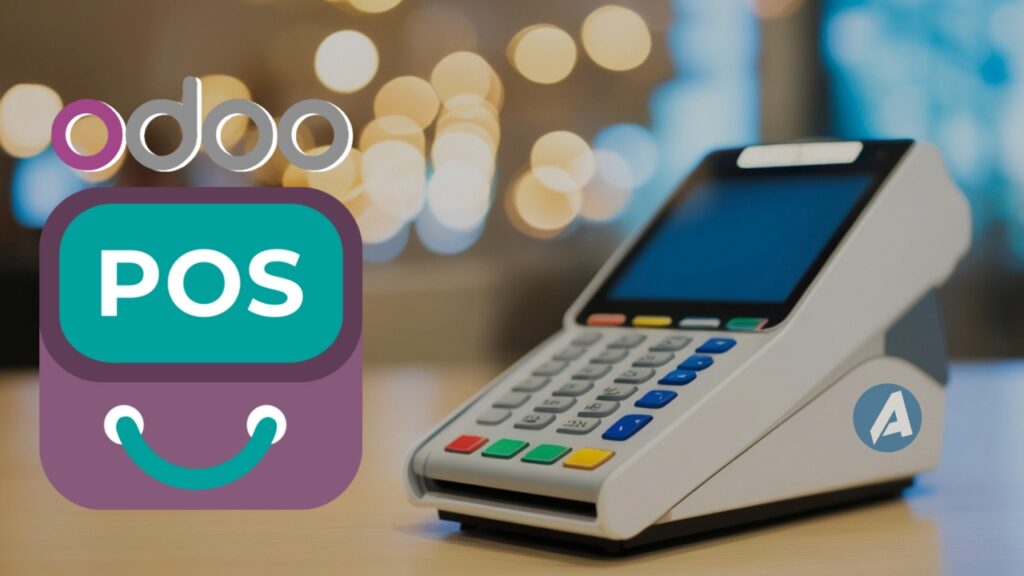
Odoo POS is one of the most powerful and flexible POS solutions available today. Unlike traditional POS software that only handles billing, Odoo POS is deeply connected with inventory, accounting, CRM, and other business operations. In this complete guide, we’ll explain everything you need to know about Odoo POS—its features, benefits, limitations, use cases, and whether it’s the right choice for your business.
1. What Is Odoo POS?
Odoo POS (Point of Sale) is a web-based POS application that allows businesses to sell products or services directly to customers. It is part of the Odoo ERP Ecosystem, meaning it doesn’t work alone—it connects with inventory, accounting, sales, CRM, and more. With Odoo POS, businesses can:
- Process in-store sales
- Accept multiple payment methods
- Manage inventory in real time
- Track customers and sales data
- Sync POS data with accounting automatically
This makes Odoo POS much more than just a billing tool.
2. Why a Modern POS System Is Important
Old or disconnected POS systems often cause problems such as:
- Incorrect inventory levels
- Manual accounting work
- Delayed sales reports
- Poor customer experience
- Data mismatch between systems
A modern POS system should:
- Work fast and reliably
- Sync data automatically
- Support multiple locations
- Provide real-time insights
Odoo POS meets these requirements while remaining flexible and affordable.
3. Overview of Odoo POS
Odoo POS is designed to be:
- Simple for cashiers
- Powerful for managers
- Flexible for growing businesses
It works directly in the browser and supports both online and offline modes, ensuring uninterrupted sales even if the internet goes down.
Odoo POS is available in:
- Odoo Community (basic POS features)
- Odoo Enterprise (advanced features and UI enhancements)
4. Key Features of Odoo POS
Here are the core features that make Odoo POS stand out:
- Fast and intuitive interface
- Online and offline functionality
- Real-time inventory sync
- Customer and loyalty management
- Multiple payment methods
- Accounting integration
- Detailed reporting
Let’s explore these features in detail.
5. Easy-to-Use POS Interface
One of the biggest strengths of Odoo POS is its clean and user-friendly interface.
Interface Benefits:
- Touchscreen-friendly
- Fast product search
- Easy order editing
- Minimal training required
Cashiers can start using Odoo POS quickly, reducing onboarding time.
6. Online and Offline Mode
Odoo POS works even when there is no internet connection.
How It Helps:
- Sales continue during internet outages
- Data syncs automatically when connection returns
- No lost transactions
This feature is especially useful for busy retail stores and restaurants.
7. Product and Pricing Management
Odoo POS uses centralized product data.
Product Features:
- Product variants (size, color, etc.)
- Barcode scanning
- Price lists
- Discounts and promotions
Pricing rules are consistent across POS, sales orders, and eCommerce.
8. Inventory Management With Odoo POS
The Inventory integration is one of Odoo POS’s biggest advantages.
Inventory Benefits:
- Real-time stock updates
- Automatic stock deduction
- Multi-warehouse support
- Low-stock alerts
This prevents overselling and improves stock planning.
9. Customer Management and CRM Integration
Odoo POS integrates directly with Odoo CRM.
Customer Features:
- Create customers at checkout
- Track purchase history
- Apply customer-specific pricing
- Loyalty programs
This helps businesses build long-term customer relationships.
10. Payment Methods and Checkout Experience
Odoo POS supports multiple payment methods.
Payment Options:
- Cash
- Credit/Debit cards
- Digital wallets
- Split payments
- Custom payment methods
Checkout is fast and smooth, improving customer satisfaction.
11. Odoo POS for Retail Stores
Retail businesses benefit greatly from Odoo POS.
Retail Use Cases:
- Clothing stores
- Electronics shops
- Grocery stores
- Specialty retail
Odoo POS handles high transaction volumes with ease.
12. Odoo POS for Restaurants and Cafes
Odoo POS is also popular in the food industry.
Restaurant Features:
- Table management
- Order notes
- Split bills
- Quick order processing
Combined with Odoo Inventory and Accounting, it offers full restaurant management.
13. Odoo POS for Service-Based Businesses
Service businesses use Odoo POS for:
- Quick billing
- Appointment-based sales
- Service products
- On-the-spot invoicing
It works well for salons, repair shops, and service counters.
14. Odoo POS and Accounting Integration
Accounting integration is where Odoo POS truly shines.
Accounting Benefits:
- Automatic journal entries
- Tax calculation
- Daily sales reconciliation
- Accurate financial reports
Businesses using Odoo Bookkeeping Services benefit greatly from this automation, as it reduces manual accounting work and errors.
15. Reporting and Sales Analytics
Odoo POS provides real-time insights.
Reports Include:
- Sales by product
- Sales by cashier
- Daily revenue
- Payment method analysis
- Profit margins
These reports help managers make better decisions.
16. Multi-Store and Multi-Location Support
Odoo POS supports:
- Multiple stores
- Multiple cash registers
- Centralized management
- Location-based inventory
This makes it ideal for growing businesses and franchises.
17. Hardware Compatibility
Odoo POS works with standard POS hardware.
Supported Hardware:
- Barcode scanners
- Receipt printers
- Cash drawers
- Touchscreen systems
This flexibility reduces hardware costs.
18. Customization and Flexibility
Every business is unique. Odoo POS allows:
- Custom workflows
- Custom buttons
- Custom reports
- Integration with third-party tools
With professional Odoo Consulting Services, businesses can tailor Odoo POS to match their exact operational needs.
19. Pros of Odoo POS
✔ Advantages
- Easy-to-use interface
- Online and offline support
- Real-time inventory and accounting integration
- Flexible pricing and discounts
- Scalable for business growth
- Cost-effective compared to traditional POS systems
20. Cons and Limitations of Odoo POS
✖ Limitations
- Advanced features require Enterprise edition
- Initial setup needs proper configuration
- Complex customizations may require technical expertise
These challenges are easily handled with reliable Odoo Support Services, which ensure smooth setup and long-term performance.
21. Odoo POS vs Traditional POS Systems
| Feature | Odoo POS | Traditional POS |
|---|---|---|
| ERP Integration | Native | Limited |
| Inventory Sync | Real-time | Often manual |
| Accounting | Automatic | Manual |
| Customization | High | Low |
| Scalability | High | Limited |
Odoo POS offers far more value for growing businesses.
22. Odoo POS for Small and Growing Businesses
Small businesses choose Odoo POS because:
- Low entry cost
- Easy learning curve
- Grows with business needs
- No need for multiple systems
As the business expands, additional Odoo modules can be added seamlessly.
23. Best Practices for Using Odoo POS
- Train staff properly
- Keep product data updated
- Review sales reports daily
- Sync POS with accounting regularly
- Use inventory alerts
Following best practices ensures maximum ROI.
24. Common Mistakes to Avoid
- Poor initial configuration
- Ignoring inventory sync issues
- Not training cashiers
- Skipping system updates
- No professional support
Many of these issues can be avoided by working with an experienced Odoo Expert like Aenten.
25. Final Verdict: Is Odoo POS Worth It?
Yes—absolutely. Odoo POS is not just a billing system; it’s a complete sales and operations solution. It connects front-end sales with backend inventory, accounting, and customer management, creating a smooth and efficient business workflow.
When supported by expert Odoo Support Services, guided by Odoo Consulting Services, and paired with accurate Odoo Bookkeeping Services, Odoo POS becomes a powerful tool for long-term business growth.
Final Thoughts
Choosing the right POS system is a critical decision. Odoo POS offers flexibility, automation, and scalability that traditional POS systems simply can’t match. At Aenten, we help businesses implement, customize, and maintain Odoo solutions that actually work in real-life operations. Whether you’re starting fresh or upgrading an existing system, Odoo POS is a solution worth considering.